

What is a workspace?
A virtual microbiome research unit
The Workspace is the virtual representation of the microbiome bioinformatics research unit of a laboratory or research team. It’s a shared environment where the work, assets, analytical tools, and knowledge ever produced by a team are organised around a specific project or research activity. The Workspace brings experimental data, metadata, analyses, results, and research knowledge into a single query-able environment. As data is processed, analysed, interpreted, and reviewed, its relationships and scientific context are preserved. Over time, each project also contributes to a growing body of institutional knowledge, allowing teams to build on previous analyses, findings, and expertise rather than starting from scratch. In the Cosmos-Hub hierarchy, a Workspace is the top-level container for the Studies carried out by the research unit. The Workspace Dashboard is the first interface a user lands on after logging into the Cosmos-Hub 2.0. The Workspace Dashboard lists all workspaces visible to your account, including:- Workspaces you created
- Workspaces you were invited to collaborate on.
- Workspaces made visible to you by an administrator of your Cosmos-Hub subscription or organization
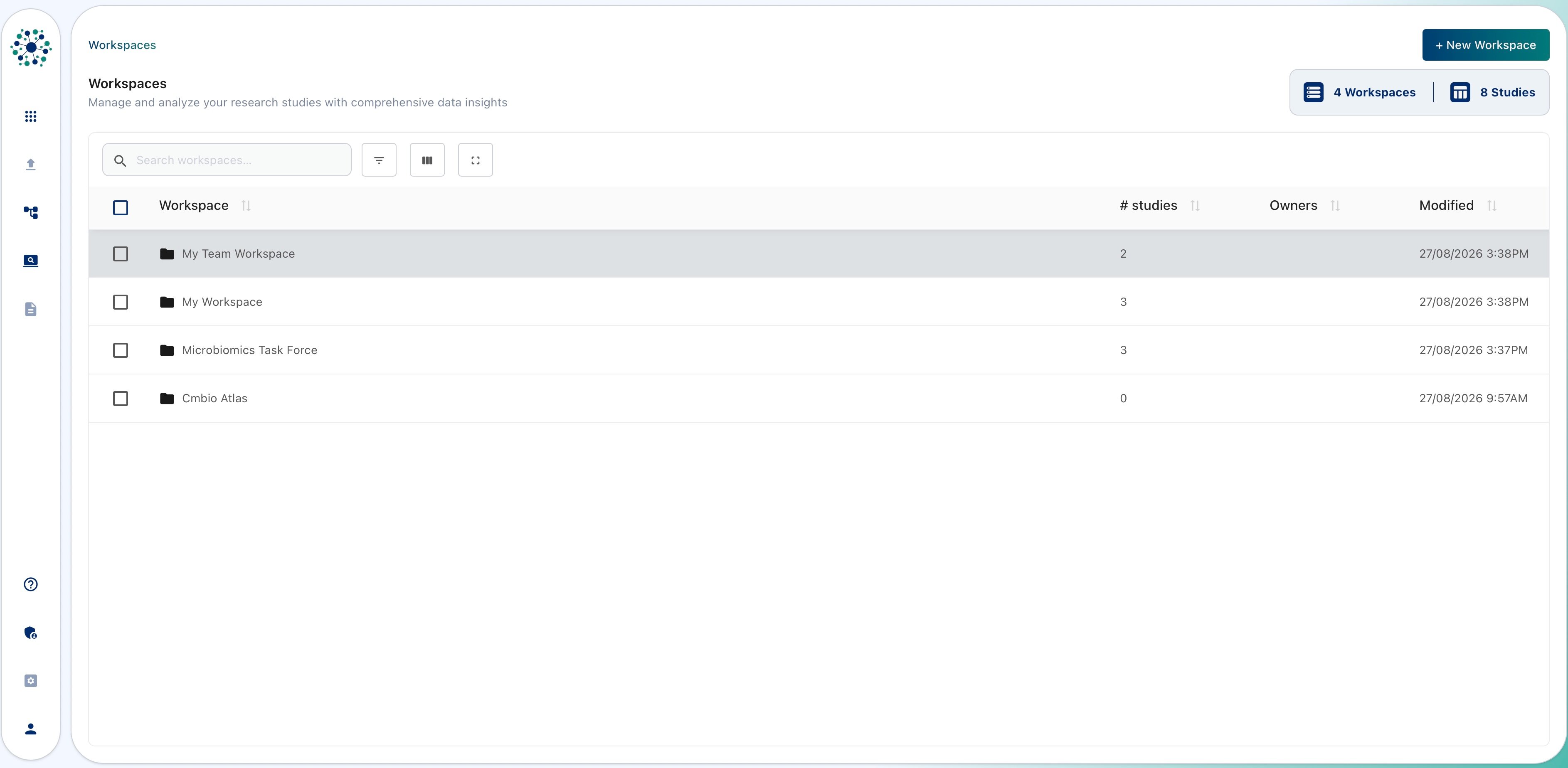
Accessing a workspace
Enter a workspace by clicking on its name. Entering a Workspace will show the list of Studies (if any has been created).Create a new workspace
- From the Workspaces Dashboard, click on ”+ New Workspace” in the top-right corner of the interface to open the Workspace Creation dialog.
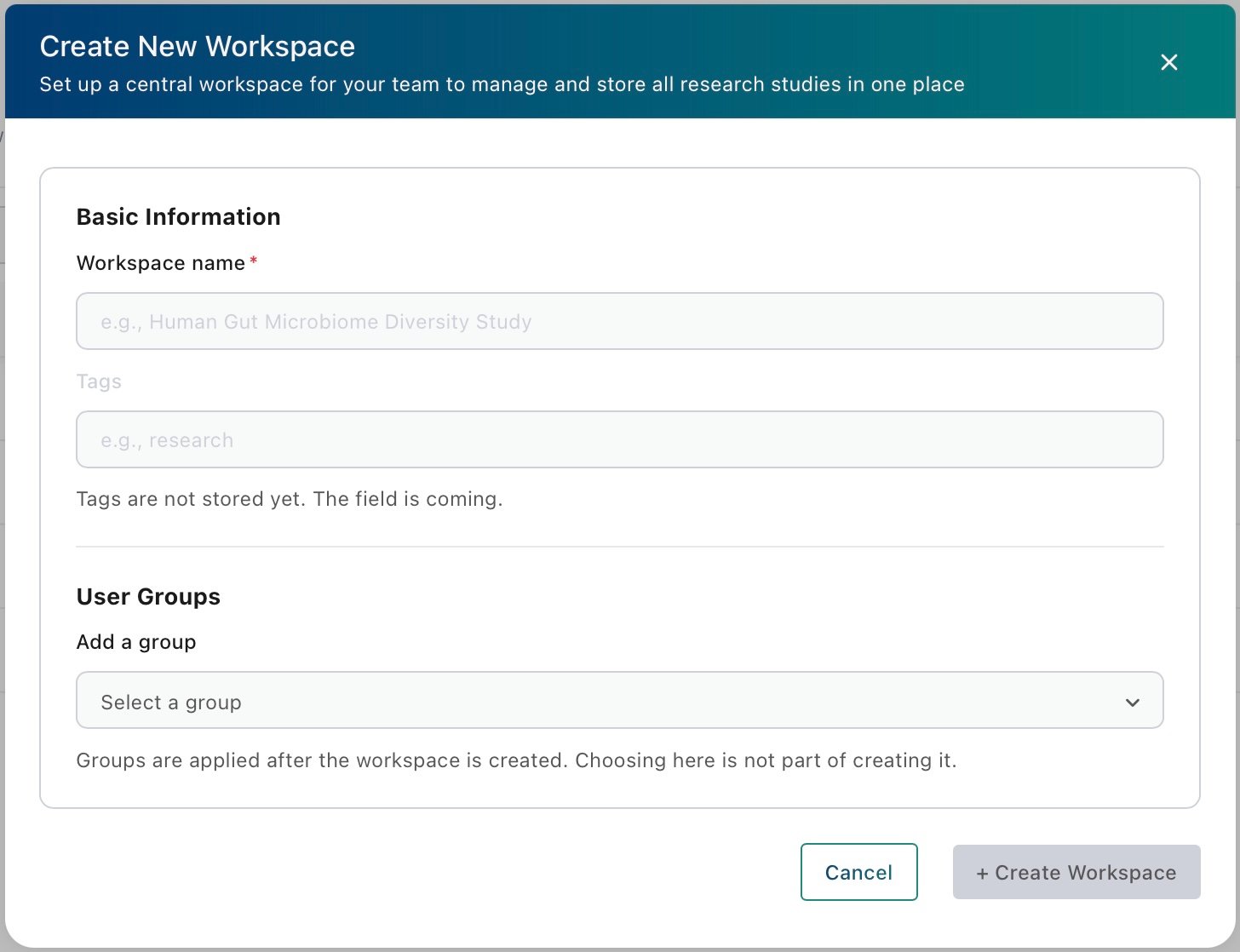
- Once created, the new workspace will appear on the Workspace Dashboard
Searching and filtering the Workspace Dashboard

- Show Filters: displays dynamic filters below the column names in the Workspaces List. Use these filters to search within specific workspace metadata columns by entering text or numbers.
- Manage Columns: toggle workspace metadata columns to be displayed from the list of workspaces.
- Full screen: expands the Workspaces List to full-screen mode, making it easier to review, filter, and manage large lists of workspaces.
Edit properties of existing workspaces
To edit the properties of one or multiple workspaces in the Workspaces Dashboard, tick the checkbox(s) to make editing buttons visible the screen. Selecting a workspace will allow to manage access, add tags [feature in active development], rename or delete a workspace.Editing workspace properties requires the appropriate permissions. If you believe you should have editing access, please contact the administrator(s) of your Cosmos-Hub subscription or workspace.
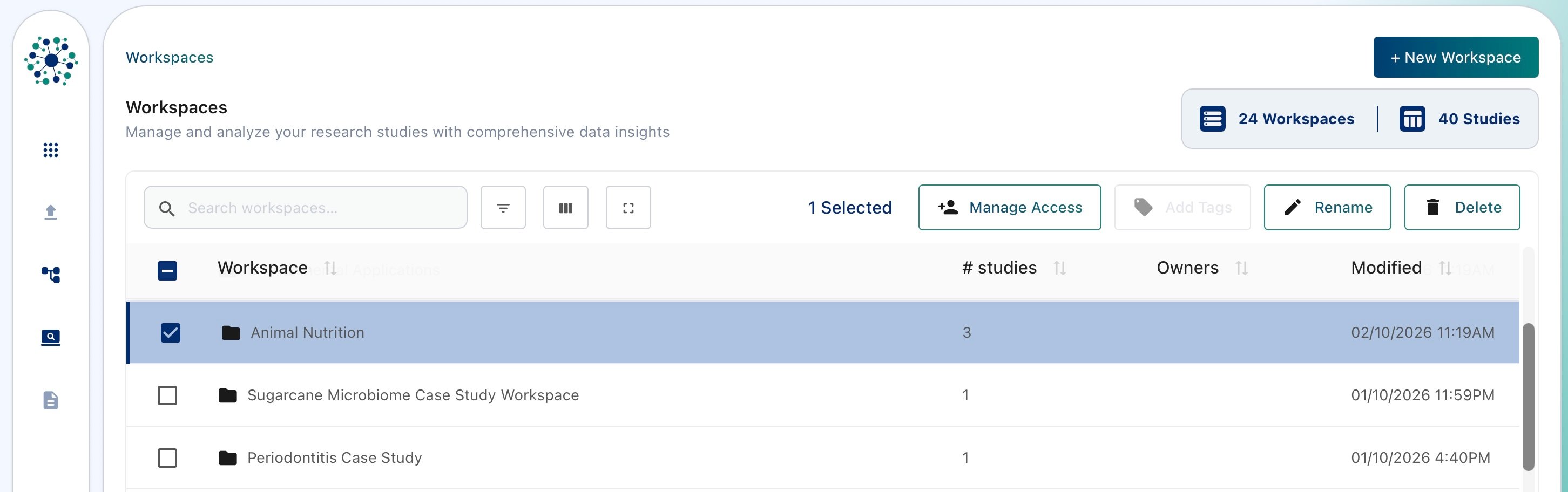
Share workspace access to individual Users or User Groups [Feature in Active Development]
Click on ‘Manage Access’ button while a single workspace is selected from the workspaces dashboard. The ‘Share Workspace’ menu allows to: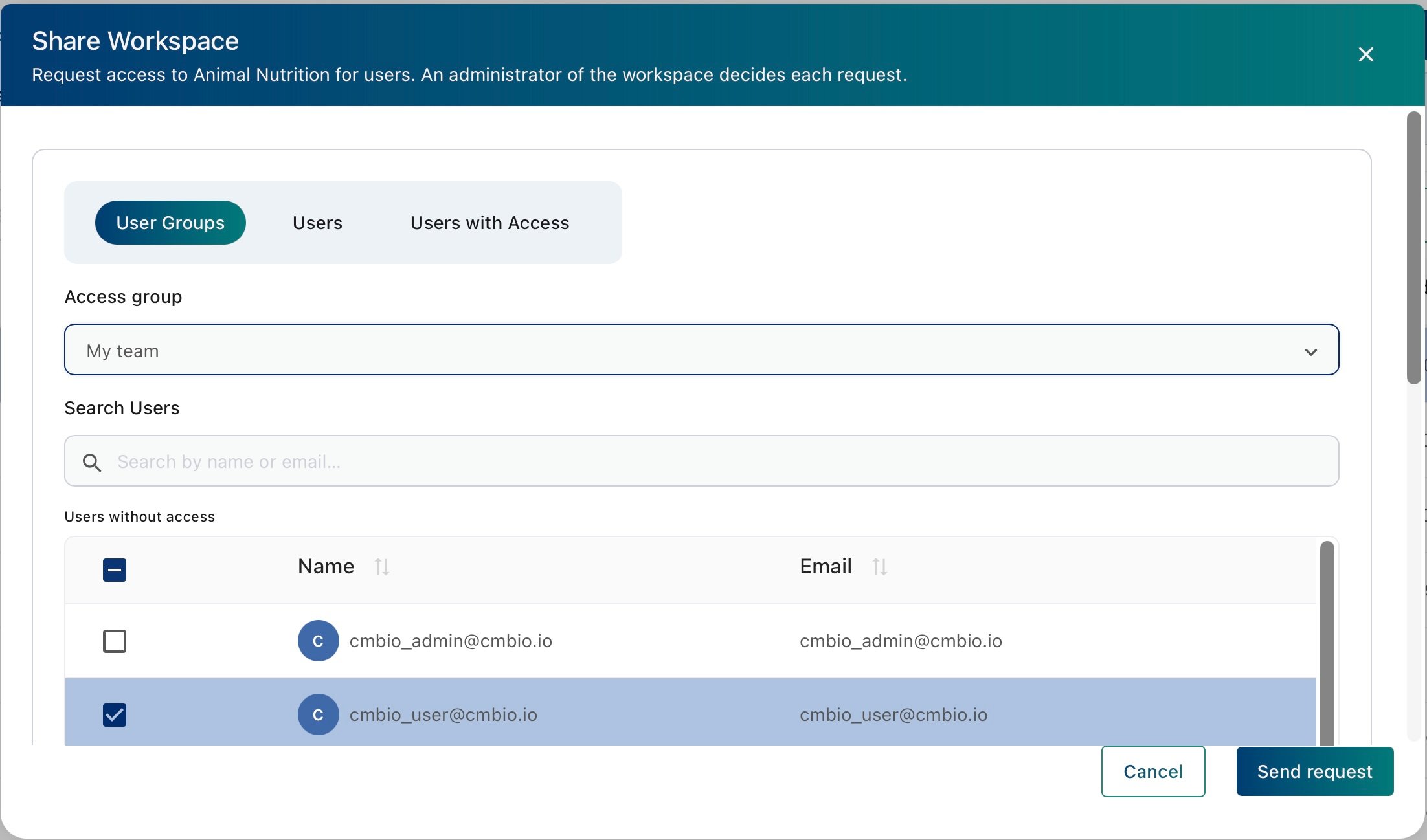
- User Groups tab: grant access to the workspace to specific user groups.
- Users: grant access to individual users in your organisation.
- People with Access: view users that can access to the selected workspace.
Renaming a workspace
Select a single workspace and click on Rename.Deleting a workspace
Select one or more workspace and click on Delete.Deleting a workspace is permanent and cannot be undone. All associated data, settings, and results will be removed.